
AutoKey — Automatic Key Presser for Mac
AutoKey presses any key on your Mac automatically at the interval you choose — in the app you pick, even when it is in the background. Keep remote desktop sessions and dashboards from timing out. One-time purchase, $7.99.
One-time purchase · 3 Macs · free updates · 14-day trial · 14-day money-back guarantee
- Version 1.0
- Requires macOS 13 Ventura or later
- Universal Apple silicon & Intel
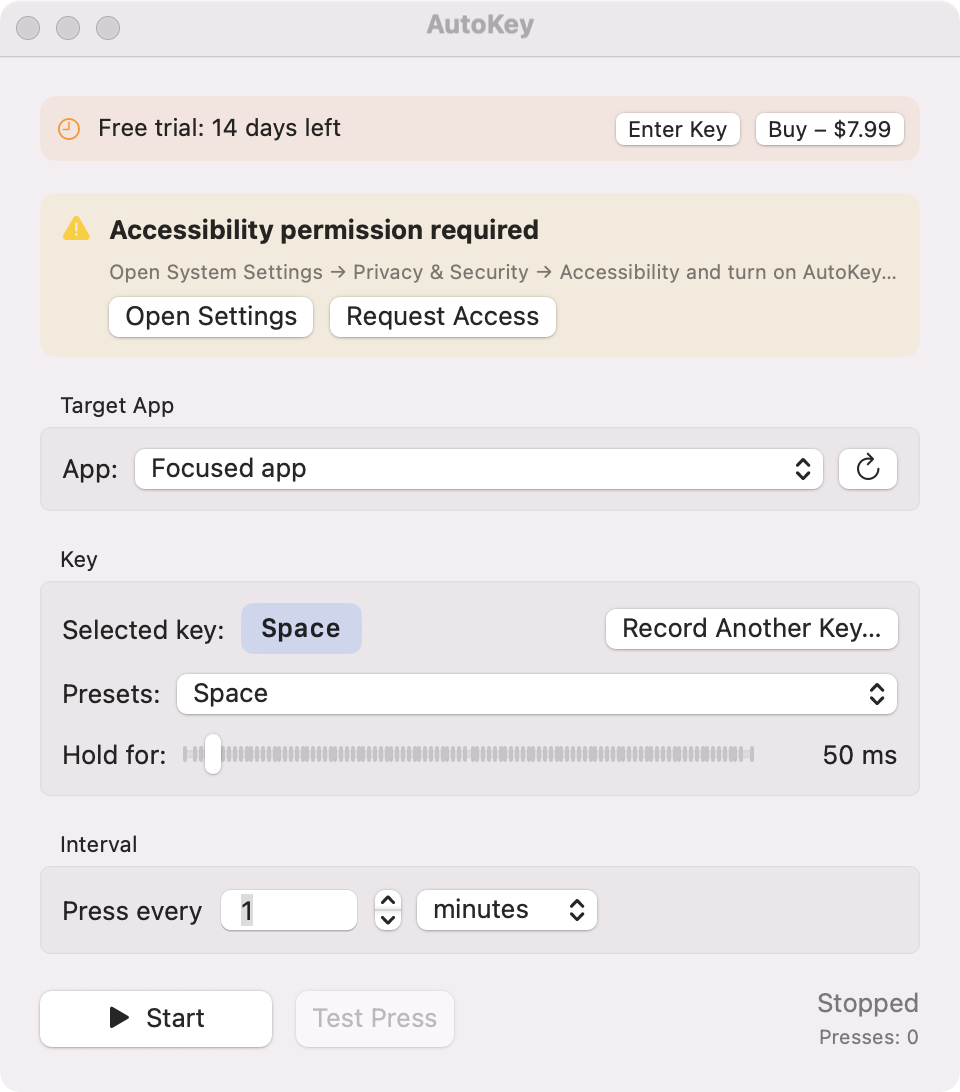
Press any key automatically, on a schedule.
Some apps log you out or go idle when nothing is typed for a while. AutoKey sends a key press for you — every few seconds, minutes or hours — to the app you choose, and steps aside while you are typing.
Any key
Space, Enter, arrows, F-keys, modifiers — or record any key on your keyboard.
Any interval
From every second to every few hours, with an adjustable hold time.
Target a specific app
Send keys to one app (for example Windows App or a remote desktop) while you keep working in another.
Two sending modes
Switch briefly to the app and back (works everywhere), or send in the background without touching your windows.
Stays out of your way
Waits until you stop typing or moving the mouse before switching, so it never interrupts you.
Menu bar control
Start, stop and see the next press from the menu bar. App Nap cannot delay it.
Install in under a minute
- Download AutoKey.dmg and drag AutoKey to Applications.
- Open AutoKey and allow Accessibility access when asked (needed to send key presses).
- Pick a key, an interval and a target app, then press Start.
Requirements
- macOS 13 Ventura or later (Apple silicon and Intel)
- Accessibility permission (asked once)
Good to know
- Some apps ignore key presses sent in background mode. Use the default switch-and-return mode for those; the Test Press button shows which mode works.
- Check the rules of any game or service before automating input.
How AutoKey compares
| AutoKey | AppleScript loop | Mouse jigglers / caffeinate | |
|---|---|---|---|
| Sends real key presses | Yes | Yes | No (mouse or sleep only) |
| Targets a background app | Yes | Partly | No |
| Waits while you type | Yes | No | — |
| No scripting needed | Yes | No | Yes |
Comparison based on publicly documented features as of 2026-10-23.
AutoKey FAQ
How do I press a key automatically on a Mac?
Open AutoKey, choose the key and how often to press it, pick the app to send it to and click Start. Without an app you would need an AppleScript loop run from Terminal.
How do I keep a Remote Desktop or Windows App session from disconnecting?
Remote sessions often disconnect after a period without input. Set AutoKey to send a harmless key such as Shift or F15 to Windows App every few minutes. caffeinate only keeps your Mac awake; it does not send input to the remote session.
Can AutoKey send keys to an app in the background?
Yes. Choose the target app. AutoKey either switches to it for a moment and back, or sends the key in the background without changing windows.
Why does AutoKey need Accessibility permission?
macOS only allows apps with Accessibility access to send key presses to other apps. AutoKey uses it for nothing else, and sends no data anywhere.
Will it interrupt my typing?
No. With 'wait until I stop typing' on, AutoKey waits until you have been idle for a moment (up to 20 seconds) before it switches apps.
Guides
Try AutoKey free for 14 days
One-time purchase · 3 Macs · free updates · 14-day trial · 14-day money-back guarantee
Need more than one app? Get all three for $24.99 — also works with NetScope and App Volume Mixer.